
Modern dishwashers are smart, efficient, and surprisingly vocal when something goes wrong. If you own a Samsung appliance and see the Samsung Smart Dishwasher LC Error Code, it’s not just a random glitch—it’s your dishwasher trying to protect itself (and your kitchen).
Let’s break this down in a simple, practical way so you can understand the issue, fix it safely, and avoid future problems.
What Does the Samsung Smart Dishwasher LC Error Code Mean?
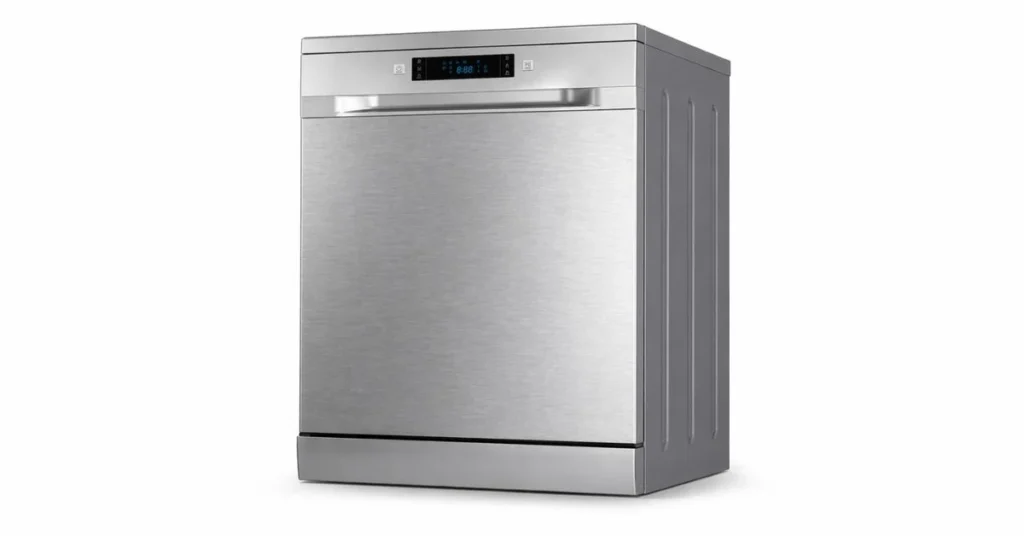
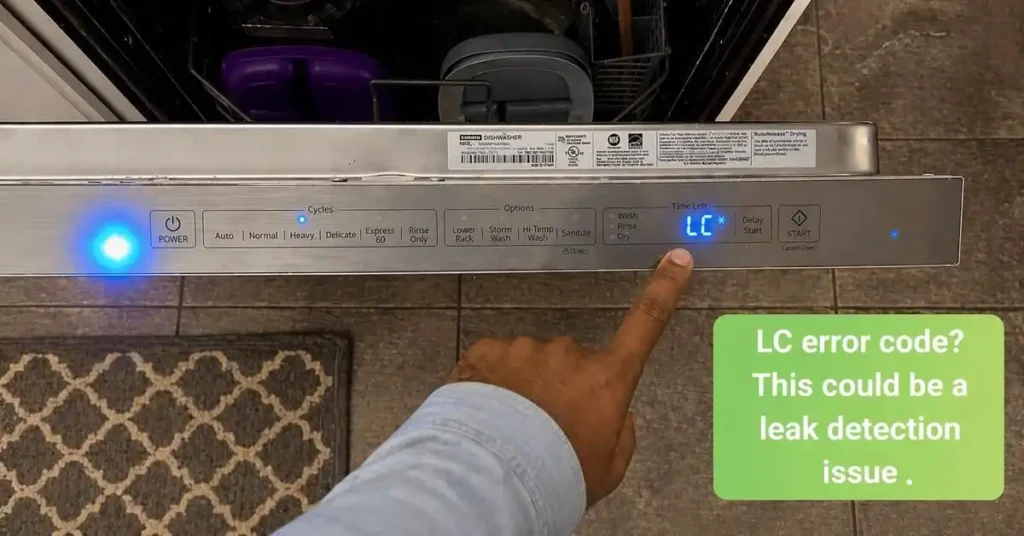
The LC error code on a Samsung dishwasher stands for “Leak Check”.
In simple terms, the dishwasher believes there is water where it shouldn’t be—usually in the base pan (the bottom internal section of the unit). When this happens, the appliance automatically stops normal operation and may run the drain pump continuously.
This isn’t a bug. It’s a safety feature designed to prevent:
- Water damage to your home
- Electrical hazards
- Long-term internal damage to the dishwasher
Also Read: Samsung Smart Dishwasher Not Connecting to Wi-Fi?
How the Leak Sensor Works
Samsung dishwashers use a leak detection system located in the base.
Here’s how it works:
- Water collects in the base pan (from a leak or overflow).
- A float switch or sensor detects the water level.
- The system triggers the LC error code.
- The dishwasher stops washing and starts draining.
This is similar to how modern washing machines and refrigerators handle leak detection—through automated, preventive measures.
Also Read: Samsung Smart Dishwasher 4C Error?
Main Causes of the LC Error Code
Let’s get into the real reasons this error appears. These are the most common, verified causes based on appliance diagnostics and manufacturer guidance.
#1. Water in the Base Pan
This is the most direct cause.
If water collects in the base tray, the sensor gets triggered immediately.
Why does water end up there?
- Small internal leaks
- Overflow from excessive foam
- Loose connections
What you’ll notice:
- Dishwasher keeps draining
- LC error appears immediately after starting
- No washing cycle begins
#2. Soap Overuse (A Surprisingly Common Mistake)
Yes, using too much detergent can actually trigger the LC error.
Dishwashers are designed for specific detergent types and quantities. When you overuse soap—or use the wrong type—it creates excessive foam.
That foam can:
- Escape into areas not meant for water
- Drip into the base pan
- Trigger the leak sensor
Common mistakes:
- Using regular dish soap instead of dishwasher detergent
- Adding extra detergent “just in case.”
- Using low-quality or incompatible products
Pro tip: If your dishwasher looks like it’s hosting a bubble party, you’ve found your problem.
#3. Internal Hose Leaks
Over time, hoses inside the dishwasher can loosen, crack, or wear out.
These include:
- Drain hose
- Inlet hose
- Circulation hoses
Even a small drip can eventually collect in the base pan and trigger the LC error.
Signs of a hose issue:
- Persistent LC error after resets
- Water is pooling under the dishwasher
- Unusual sounds during operation
#4. Faulty or Misaligned Components
Sometimes, the issue isn’t a leak—it’s a false alarm.
This can happen due to:
- Misaligned float sensor
- Debris is interfering with the sensor
- Electrical glitches
Although less common, it’s worth considering if no visible leak exists.
Also Read: Is Dishwasher Useful for Indian Kitchen?
How to Safely Reset the Samsung Dishwasher
Before jumping into repairs, try a safe reset. This can clear temporary errors.
Step-by-Step Reset Method
- Turn off the dishwasher
- Use the power button
- Unplug the appliance
- Or switch off the circuit breaker
- Wait 5–10 minutes
- This allows the system to reset fully
- Plug it back in and restart
Important Note
If water is still present in the base pan, the error will return immediately after reset. The system is doing its job—it won’t ignore a real leak.
Also Read: Dishwasher Buying Guide India
How to Fix the LC Error Code (Practical Solutions)
Now let’s solve the problem step by step.
Step 1: Check for Visible Water Leakage
- Look under and around the dishwasher
- Inspect the floor for moisture
- Check nearby cabinets
If you see water, you likely have a genuine leak.
Step 2: Tilt the Dishwasher (Temporary Fix)
This is a commonly used workaround.
What to do:
- Carefully pull the dishwasher out
- Tilt it slightly backward
- Allow any trapped water to drain out
This may clear the sensor temporarily.
Use caution and ensure the power is off before doing this.
Step 3: Inspect Detergent Usage
Ask yourself:
- Are you using the correct detergent?
- Are you using too much?
If yes, switch to:
- High-quality dishwasher detergent
- Manufacturer-recommended quantity
Run an empty cycle to clear residue.
Step 4: Check Internal Hoses
If you’re comfortable with basic inspection:
- Remove the lower panel
- Look for loose or damaged hoses
- Tighten connections if needed
If not, it’s best to call a technician.
Step 5: Clean the Base Area
Sometimes debris or residue can trigger the sensor.
- Wipe the base area dry
- Remove any buildup
- Ensure the float sensor moves freely
Also Read: How to Choose a Dishwasher in India
When You Should Call a Professional
Not every LC error is DIY-friendly.
Call a technician if:
- The error keeps returning
- You see continuous leaking
- You suspect internal damage
- The dishwasher is under warranty
Trying to fix complex internal issues without proper tools can make things worse.
How to Prevent the LC Error in the Future
Prevention is easier (and cheaper) than repair.
#1. Use the Right Detergent
Always choose a detergent designed specifically for dishwashers.
Avoid:
- Handwashing liquid
- Overfilling the detergent compartment
#2. Don’t Overload the Dishwasher
Overloading can block water flow and cause uneven pressure, increasing the risk of leaks.
#3. Regular Maintenance Matters
- Clean filters regularly
- Inspect spray arms
- Check seals and gaskets
A clean dishwasher works more efficiently and safely.
#4. Run Periodic Empty Cycles
Use a cleaning cycle or run the dishwasher empty with a cleaner.
This helps remove:
- Soap residue
- Grease buildup
- Hidden debris
Why Samsung Dishwashers Show LC Error More Frequently
You might wonder—why does this error appear so often compared to others?
The answer is simple: better safety design.
Samsung prioritizes:
- Early leak detection
- Automated shutdown
- Damage prevention
So while the LC error may feel annoying, it’s actually protecting your kitchen from costly repairs.
Quick Summary (For Busy Readers)
- LC error = Leak detected or suspected
- Main causes:
- Water in the base pan
- Soap overuse
- Internal hose leaks
- Reset works only if the issue is temporary
- Fix requires identifying the root cause
- Prevention includes proper detergent use and regular maintenance
FAQs
Why does my Samsung dishwasher keep showing LC error?
Your Samsung dishwasher shows the LC error when it detects moisture or water in the base pan. This usually happens due to small leaks, excess foam from detergent, or internal hose issues. The system triggers this error to prevent water damage.
Can I still use my dishwasher with the LC error code?
No, you should not continue using the dishwasher while the LC error is active. The appliance automatically stops operation to protect internal components and your kitchen from potential leaks or electrical risks.
How long does it take to fix the LC error code?
Fixing the LC error can take anywhere from 10 minutes to a few hours, depending on the cause. Simple issues like water in the base pan or soap overuse are quick to resolve, while hose leaks or internal faults may take longer.
Does unplugging the dishwasher reset the LC error?
Yes, unplugging the dishwasher for 5–10 minutes can reset the system. However, if the leak sensor still detects water, the LC error will return immediately after restarting.
How do I prevent the LC error from happening again?
To prevent the LC error:
1. Use the correct dishwasher detergent
2. Avoid overfilling the soap
3. Clean filters regularly
4. Inspect hoses and seals
5. Run maintenance cycles periodically
These steps help keep your dishwasher running efficiently and reduce the risk of leaks.
Final Thoughts
The Samsung Dishwasher LC Error Code isn’t something to ignore—but it’s also not something to panic about.
Most of the time, the issue comes down to:
- Too much soap
- Minor leaks
- Temporary water buildup
With a bit of careful inspection and smart maintenance, you can fix the problem and keep your dishwasher running smoothly.
And next time you think, “Maybe I’ll just add a little extra detergent,” remember—your dishwasher prefers precision over enthusiasm.
Sources & References
- Samsung India Support – Dishwasher Error Code Technical Guide
- Samsung Global / UK Support – Leakage Error Explanation
- Appliance repair industry guidelines (leak detection systems and diagnostics)
- Manufacturer manuals for Samsung dishwasher models (2024–2026 range)
