
When your Samsung dishwasher suddenly stops mid-cycle and shows the 5C error code, it’s not just annoying—it’s a clear signal that something isn’t draining properly.
The good news? In most cases, you don’t need a technician. You can fix this issue yourself in under 15–20 minutes.
This guide explains why the Samsung dishwasher 5C error code happens, what causes it, and how to fix it fast using proven steps. Everything here is based on real troubleshooting methods, manufacturer guidance, and common user experiences.
What Does the 5C Error Code Mean on a Samsung Dishwasher?
The 5C error code indicates a drainage problem.
In simple terms, your dishwasher cannot remove water after a wash cycle. Instead of draining, water stays inside the tub—triggering the error.
You might notice:
- Water is pooling at the bottom
- Dishwasher stopping mid-cycle
- Unusual humming sound from the pump
If your dishwasher can’t drain, it won’t continue to operate safely. That’s why the system stops automatically.
Also Read: Samsung Smart Dishwasher Not Connecting to Wi-Fi?
Why the 5C Error Happens (Main Causes)
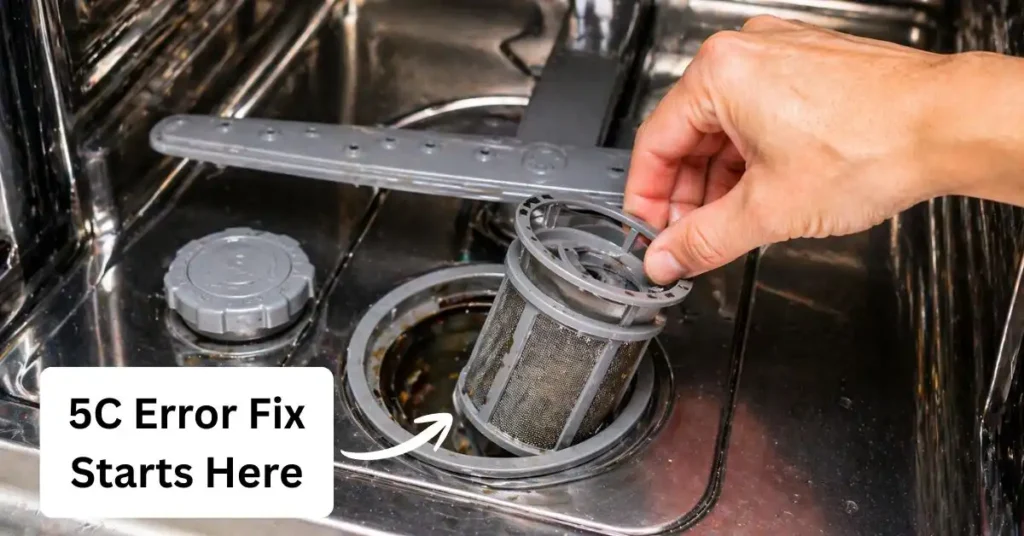
Understanding the cause makes fixing much easier. Here are the most common reasons behind this issue:
#1. Drain Blockage
Food particles, grease, or debris can clog the drain system. Over time, this buildup prevents water from flowing out.
This is the most common cause of the 5C error.
#2. Dirty or Clogged Filter
Your dishwasher filter traps food waste. If you don’t clean it regularly, it becomes blocked.
A clogged filter slows down or completely stops drainage.
#3. Kinked or Bent Drain Hose
The drain hose carries water out of the machine. If it bends or twists, water flow gets restricted.
Even a small kink can cause a big problem.
#4. Drain Pump Obstruction
Small objects like glass shards, seeds, or labels can block the pump.
When the pump can’t push water out, the error appears.
#5. Sensor Issues
Modern Samsung smart dishwasher models use sensors to monitor water levels.
If the sensor malfunctions or detects incorrect water levels, it may trigger a false 5C error.
Quick Checklist Before You Start Fixing
Before you jump into solutions, check these basics:
- Is there standing water inside?
- Is the dishwasher level (not tilted)?
- Is the drain hose properly connected?
This quick check often saves time and avoids unnecessary steps.
Also Read: Samsung Smart Dishwasher LC Error Code
How to Fix Samsung Dishwasher 5C Error
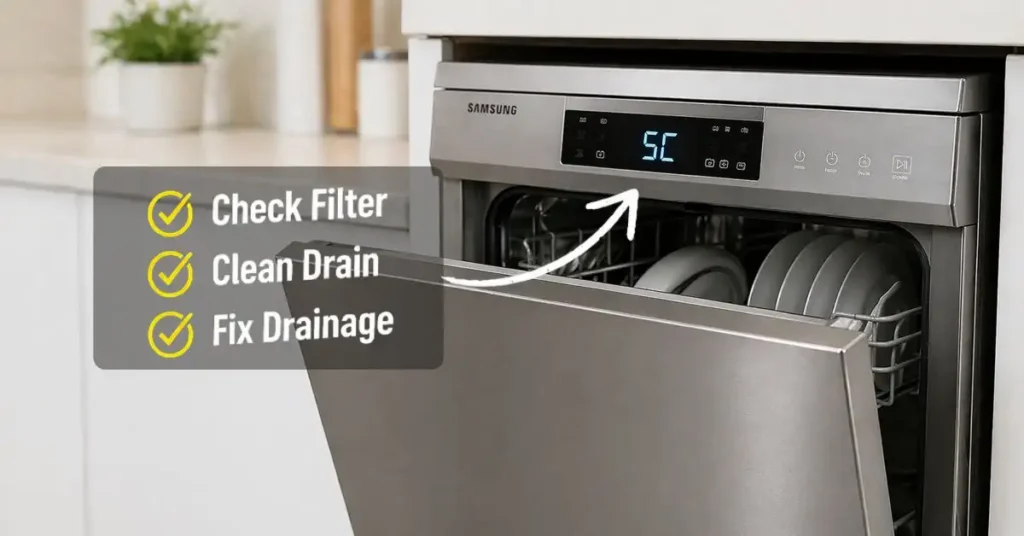
Now let’s fix the issue. Follow these steps in order:
#1. Clean the Dishwasher Filter
- Open the dishwasher
- Remove the bottom rack
- Take out the filter
- Rinse it under running water
Use a soft brush to remove grease and debris.
This alone fixes the issue in many cases.
#2. Check for Drain Blockages
Inspect the drain area at the bottom of the tub.
- Remove visible debris
- Clean food particles
- Ensure nothing blocks water flow
Avoid using sharp tools—you don’t want to damage internal parts.
#3. Inspect the Drain Hose
Follow the hose behind your dishwasher.
- Straighten any bends
- Remove kinks
- Check for clogs
If needed, disconnect and flush it with water.
#4. Run a Test Drain Cycle
After cleaning, run a short cycle.
Listen carefully:
- Do you hear water draining?
- Is the water level going down?
If yes, your problem is likely solved.
#5. Check the Drain Pump
If the issue continues:
- Turn off the power
- Access the pump area
- Remove any visible obstruction
If you’re unsure, don’t force it—this step may require basic technical skill.
#6. Reset the Dishwasher
Sometimes, the error is temporary.
To reset:
- Turn off the power
- Unplug for 5 minutes
- Restart the machine
This clears minor system glitches.
#7. Check for Sensor Errors
If everything looks clean but the error remains, the issue may be sensor-related.
In this case:
- Restart the system
- Run an empty cycle
If the error persists, professional inspection may be required.
Also Read: Samsung Smart Dishwasher 4C Error?
Pro Tips to Prevent 5C Error in the Future
You don’t want to deal with this again. Here’s how to avoid it:
- Clean the filter once a week
- Avoid loading dishes with heavy food residue
- Run a cleaning cycle monthly
- Check the hose position during installation
Prevention is easier than fixing.
When Should You Call a Technician?
You should contact support if:
- The error keeps returning
- The pump makes loud noises
- No drainage happens even after cleaning
In such cases, it may be a hardware issue.
Reach out to Samsung Electronics support for professional help.
Real-World Insight (Why This Problem Is So Common)
The Samsung dishwasher 5C error is one of the most searched issues because:
- People skip regular cleaning
- Filters clog faster with modern food habits
- Smart sensors detect even small issues
In short: your dishwasher isn’t broken—it’s just asking for maintenance.
Expert Insight (Backed by Real Sources)
According to appliance maintenance guidelines and manufacturer support:
- Blocked filters and hoses are the top causes of drainage failure
- Regular cleaning improves dishwasher efficiency and lifespan
- Smart diagnostics help detect issues early
These insights align with guidance from:
- Samsung Electronics support documentation
- Appliance care best practices are followed globally
Also Read: Is Dishwasher Useful for Indian Kitchen?
FAQs
What does 5C mean on a Samsung dishwasher?
The 5C error code indicates a drainage problem. It means your dishwasher is unable to remove water properly after a cycle, usually due to a blockage or filter issue.
How do I fix the 5C error code quickly?
Start by cleaning the filter, checking the drain hose for kinks, and removing any blockage in the drain area. In most cases, this resolves the issue within minutes.
Can a dirty filter cause the 5C error?
Yes, a clogged filter is one of the most common reasons. When the filter gets blocked with food debris, water cannot drain efficiently.
Is it safe to use the dishwasher with a 5C error?
No. The dishwasher stops the cycle to prevent damage. You should fix the drainage issue before running it again.
How often should I clean my dishwasher filter?
You should clean the filter at least once a week if you use your dishwasher daily. Regular cleaning prevents most drainage issues.
Final Thoughts
The Samsung dishwasher 5C error code may look serious, but it’s usually easy to fix.
Start simple:
- Clean the filter
- Check for blockages
- Inspect the hose
In most cases, your dishwasher will be back to normal within minutes.
And remember—your Samsung smart dishwasher works best when you give it a little regular care.
Sources & References
- Samsung Electronics Official Support – Dishwasher troubleshooting and error codes
